
Interactive mall directory for kiosks, your website and phones
An interactive mall directory that replaces the printed board: shoppers search a store on a touch kiosk, on your website or on their phone and get the route across floors. One 3D map runs every screen, so a store change is made once. No app, no beacons.
Part of OVER Wayfinding Suite: mapping, mobile AR, web map and kiosks from one 3D map. As a mall directory: store search on kiosks and on your website, and the route continues on the phone.
What is an interactive mall directory?
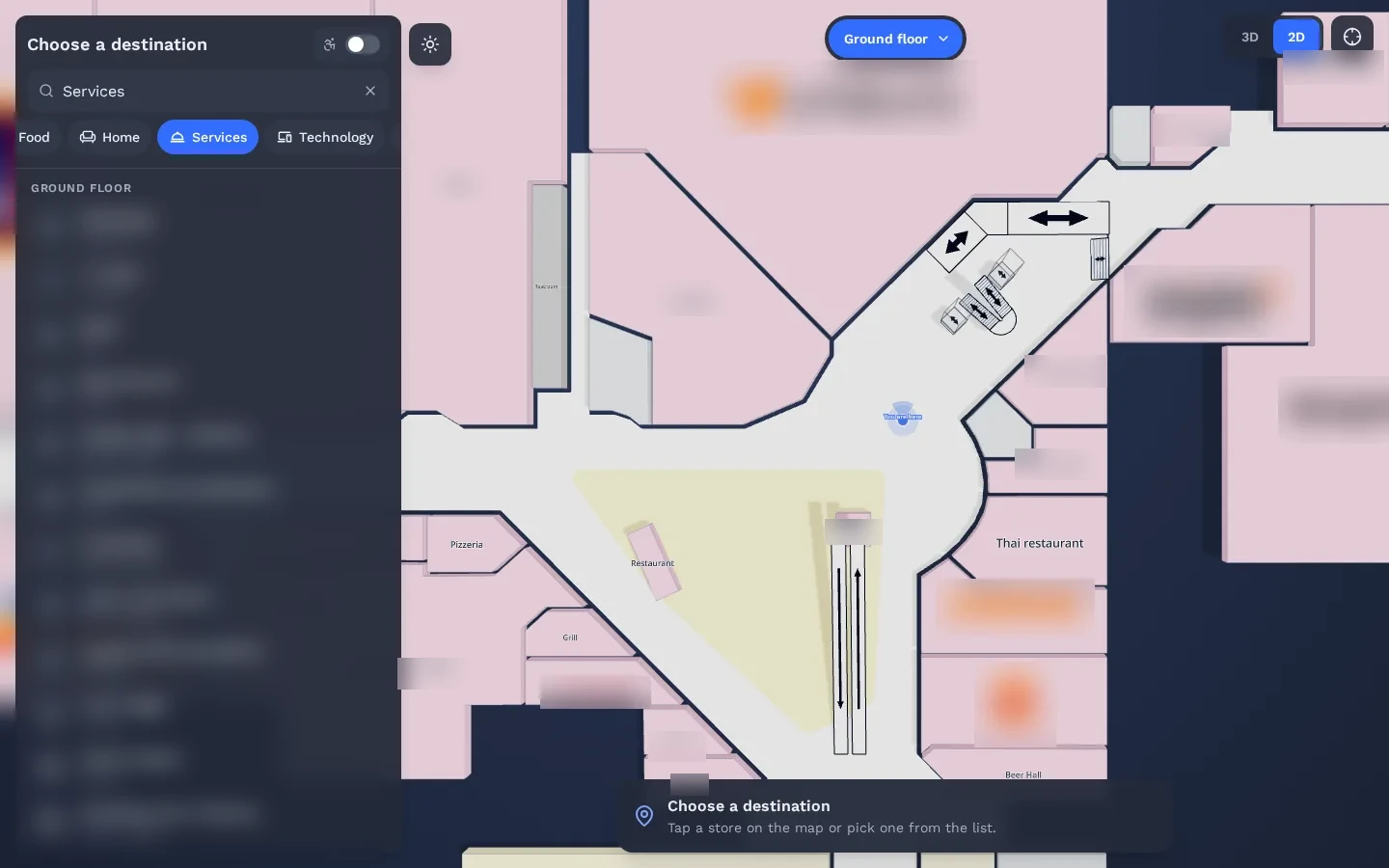
An interactive mall directory is a searchable map of the shopping centre that replaces the printed board. Shoppers search for a store or a service and get the route. OVER runs it from one 3D map on touch kiosks, on the mall website and on shoppers’ phones, with AR directions in the browser.
- At the entrance. Search a store on the touch kiosk and see the route across floors.
- From home. The same directory on the mall website, to plan the visit.
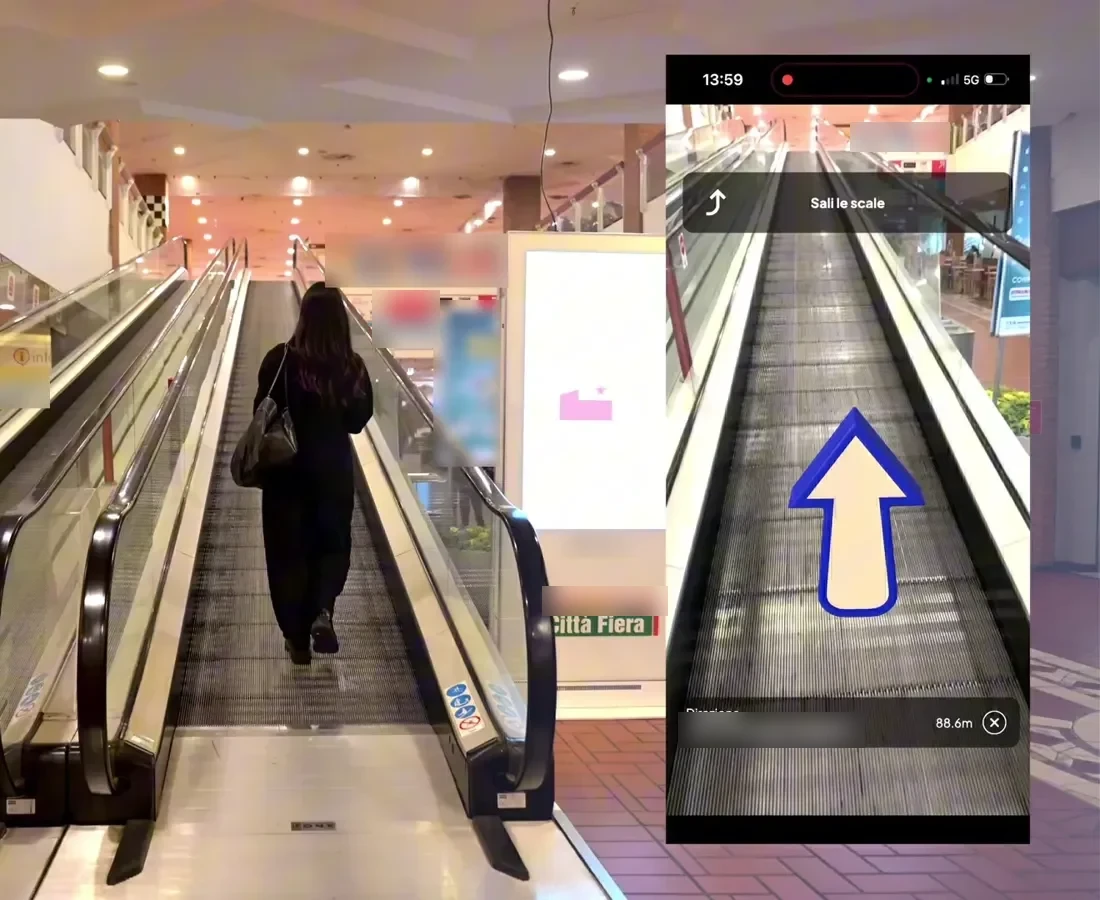
- On the phone. Scan the QR code on the kiosk or on a sign and follow AR arrows to the store.
- Step-free routes. Lifts and ramps for wheelchairs and strollers, on every screen.
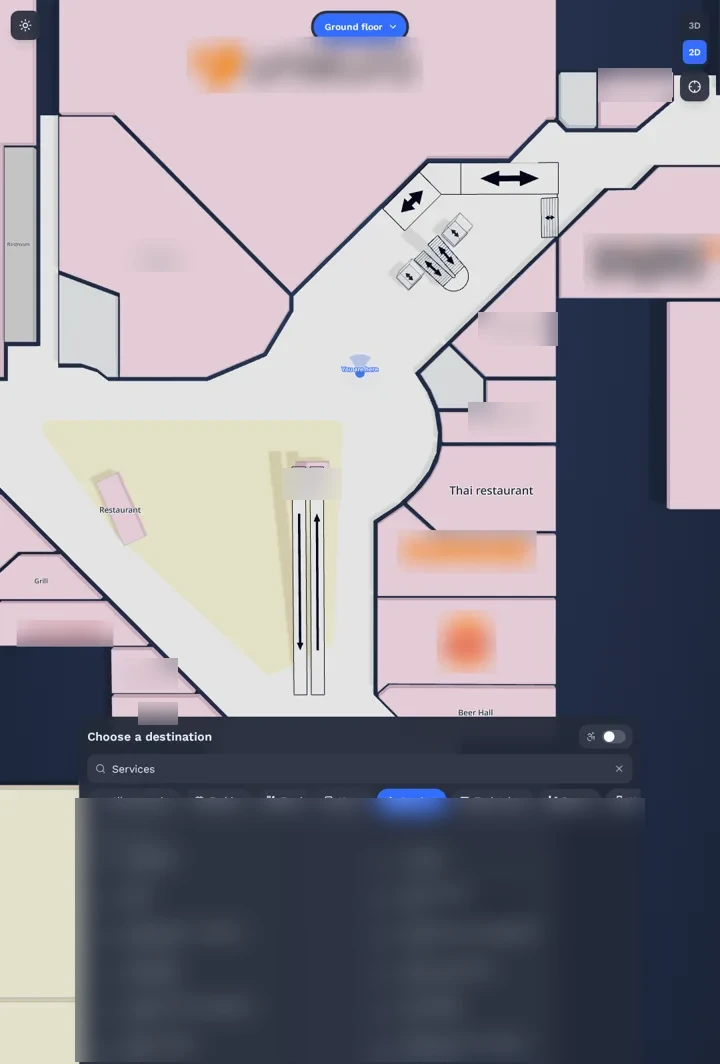
Mall directory software in four parts, from one 3D map
One 3D map of the mall runs all four parts. Update a destination once and every screen follows.
- 01
3D Venue Mapping
Every floor mapped in one walk with a 360° camera; our team sets up your store directory.
More →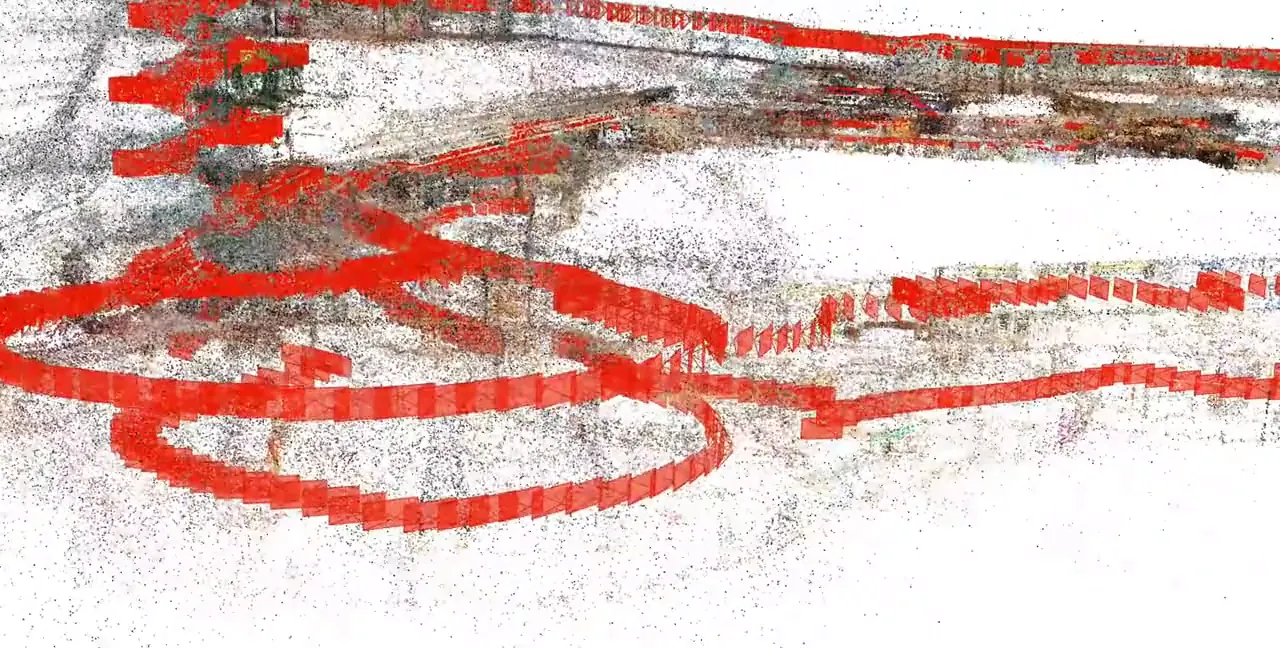
- 02
- 03
- 04
How does a mall directory kiosk pass the route to the phone?
The shopper picks a store on the touch kiosk and scans the QR code on screen. The route opens in iOS Safari or Android Chrome, with no app to download, and AR arrows guide them across floors to the store. The kiosk is free for the next person, and it runs on your existing touch screens.
- Your existing screens. The kiosk view is a web page: open its URL on touch screens you already have.
- QR codes on signs too. Entrance signs and info boards open the same store search on the phone.
- Nothing in the building. No beacons, Wi-Fi sensors, antennas or wall markers to install or maintain.
See it working in a real mall
The same technology is live in a 150,000 m² multi-floor shopping mall. Real visitors scan a QR code and follow AR directions in the browser: time on site up 25%, conversion rate up 12%.
Read the Città Fiera case study →How do you keep a digital mall directory up to date?
You update it once. When a store opens, moves or changes its hours, your team edits the content in one place and the kiosks, the website map and the phone directions change together. Store openings, promotions and events can be highlighted the same way, on every screen.
- Tenant changes. Store moves and opening hours are edited once for every screen.
- Promotions and events. Featured stores, seasonal campaigns and sponsored routes on kiosks, web and phone.
- One supplier. Mapping, directory, web map and kiosks as one service, with nothing to keep in sync.
Which interactive mall map fits your shopping centre?
Check three things: that kiosks, website and phones read one map, that a store change is made once, and that shoppers keep the route after they leave the screen. OVER covers all three as one service, with turnkey 3D mapping included and no hardware to install in the building.
Mall directory software: questions buyers ask
Which companies provide an interactive mall directory for kiosks, website and phones?
OVER (Over the Reality), Udine, Italy, is one. OVER Wayfinding Suite runs a store directory and an interactive mall map on touch kiosks and on the mall website, and AR directions in the shopper’s phone browser, all from one 3D map. It is live at Città Fiera, a 150,000 m² mall with 230+ stores.
Do shoppers need to download an app?
No. They scan a QR code on a kiosk or a sign, or tap a link on your website, and the directory and the route open in iOS Safari or Android Chrome.
Can we use the touch screens we already have?
Yes. The kiosk view is a web page, so you open its URL on your existing touch screens. There is no positioning hardware to add in the building.
Do we need floor plans or CAD files?
No. We map the mall for you in one walk with a 360° camera during normal opening hours: Città Fiera, 150,000 m² on multiple floors, took 90 minutes. Our team then sets up your store directory and the routes between floors.
How is an interactive mall directory priced?
It is quoted per shopping centre, based on the gross leasable area, the number of floors and the channels you activate: kiosks, the web map, AR directions on the phone or the full suite. Turnkey 3D mapping is included.
Where can we see it working?
At Città Fiera, in Udine, Italy, live with real shoppers since June 2026. You can also open the live demo map from this page in your own browser.
What do you need from us for a quote?
The mall name, the approximate area in m² and the number of floors or buildings. Rough numbers are fine. We reply with a preliminary quote within a few days.
Project scoping
Request a quote
A few clicks to tell us about your venue or project, then your contact details. Rough answers are fine.
What happens next
- 01Answer a few questions. Two short steps. Rough answers are fine.
- 02Our reply. We reply within 1 business day, then send a preliminary quote. No commitment.
- 03Pilot or whole venue. We scope it with you. Mapping is one walk with a 360° camera during opening hours.
Our latest shopping centre deployment

Città Fiera, Udine: 150,000 m², 230+ stores, live since June 2026. Time on site +25%, conversion rate +12%.
Read the case study →What happens next
- 01Answer a few questions. Two short steps. Rough answers are fine.
- 02Our reply. We reply within 1 business day, then send a preliminary quote. No commitment.
- 03Pilot or whole venue. We scope it with you. Mapping is one walk with a 360° camera during opening hours.
Our latest shopping centre deployment
Città Fiera, Udine: 150,000 m², 230+ stores, live since June 2026. Time on site +25%, conversion rate +12%.
Read the case study →