
Museum wayfinding and AR stories in the browser
Museum wayfinding in the visitor’s own browser: routes between rooms, AR content next to the works, a map on your website and a kiosk in the lobby. No app, no beacons, nothing on the walls.
Part of OVER Wayfinding Suite: mapping, mobile AR, web map and kiosks from one 3D map. In a museum: a QR code on the ticket, AR stories next to the works and a kiosk in the lobby.
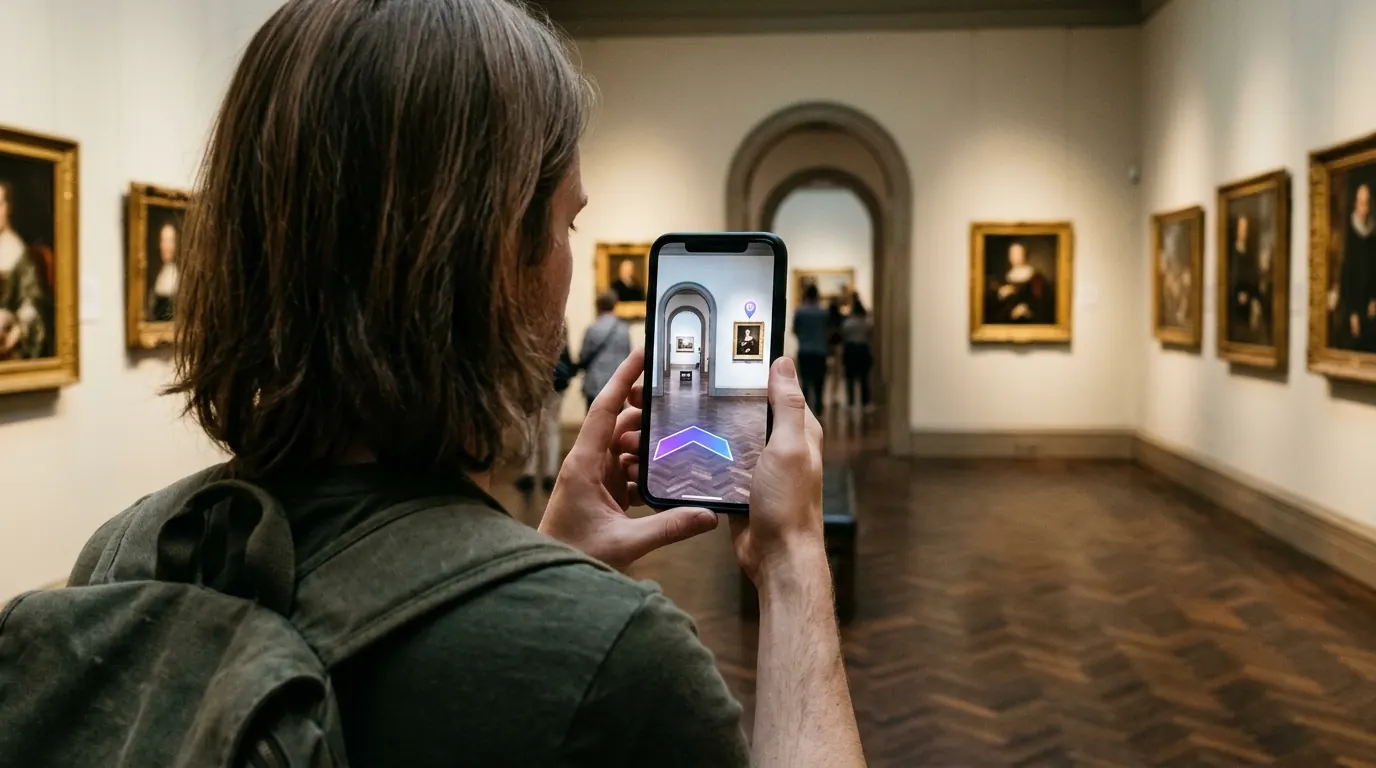
Do visitors need a museum navigation app?
No. Most visitors will not download a museum navigation app for a single visit. With OVER they scan a QR code on the ticket or at the entrance, and the route opens in the phone browser. The camera finds their position from the rooms themselves, so nothing is mounted on historic walls.
- Themed routes. A highlights tour, a family route or a route through one exhibition.
- Find a room or a work. Search a room, a work or a service and follow the arrows.
- Temporary exhibitions. Add or remove destinations when the layout changes.
- Visit before visiting. The 3D map on your website lets people explore and plan.
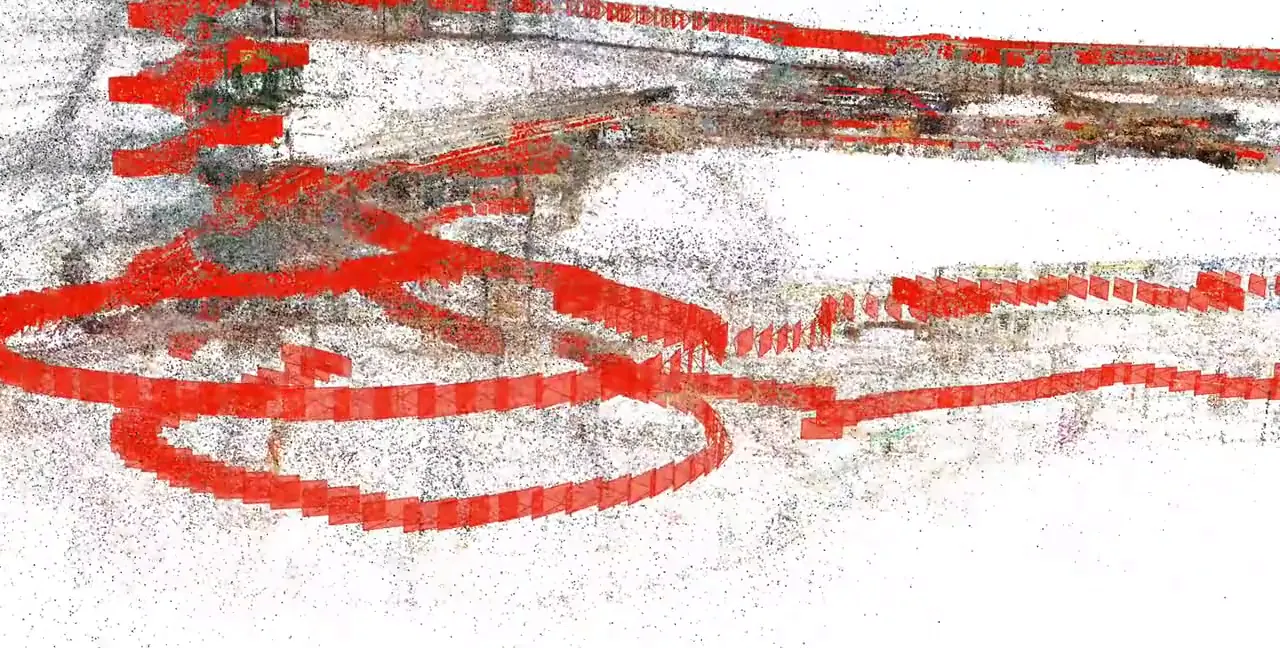
3D Gaussian Splatting & point cloud of a museum hall
Captured with a 360° camera: powers browser AR navigation and exhibit stories with no app to download.
The four parts, in a museum
One 3D map of the museum runs all four parts. Update a destination once and every screen follows.
- 01
3D Venue Mapping
Rooms and corridors mapped with one 360° camera, with no drilling.
- 02
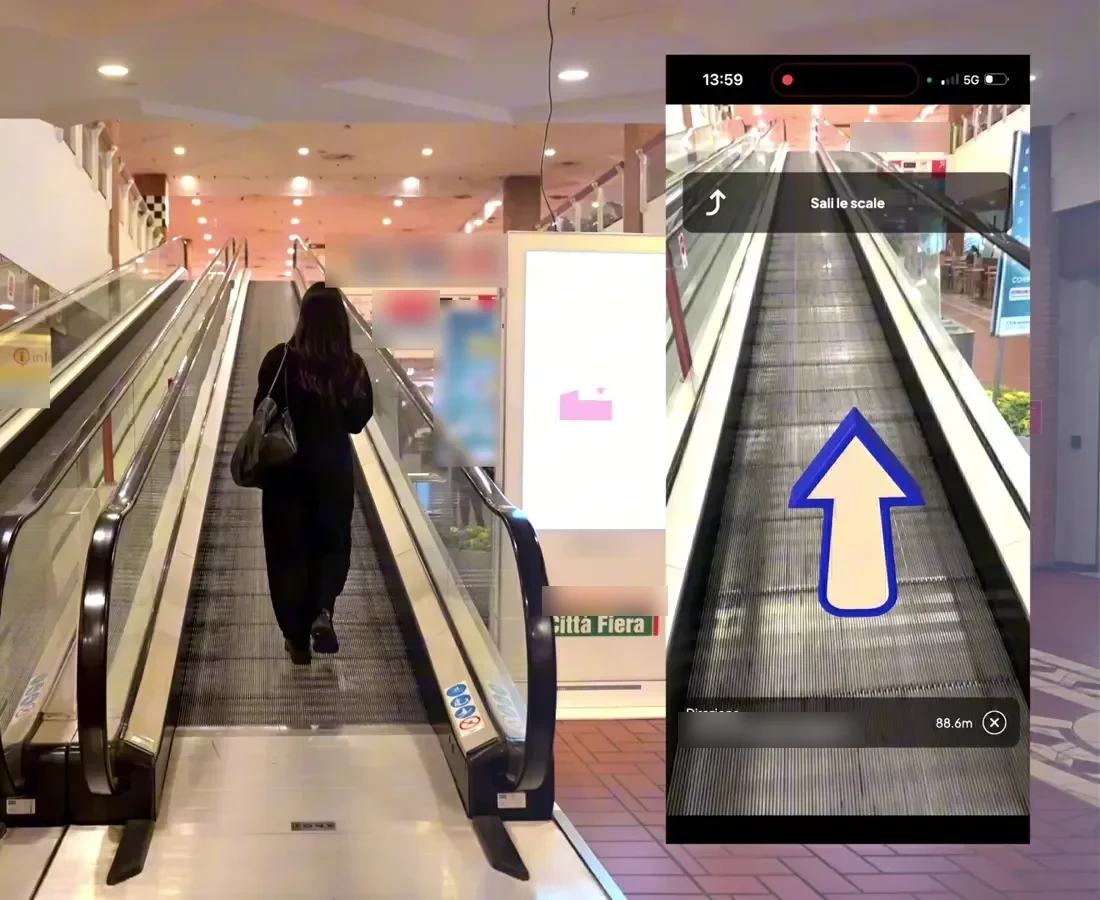
Mobile AR Navigation
Routes and AR content in the visitor’s browser.
- 03
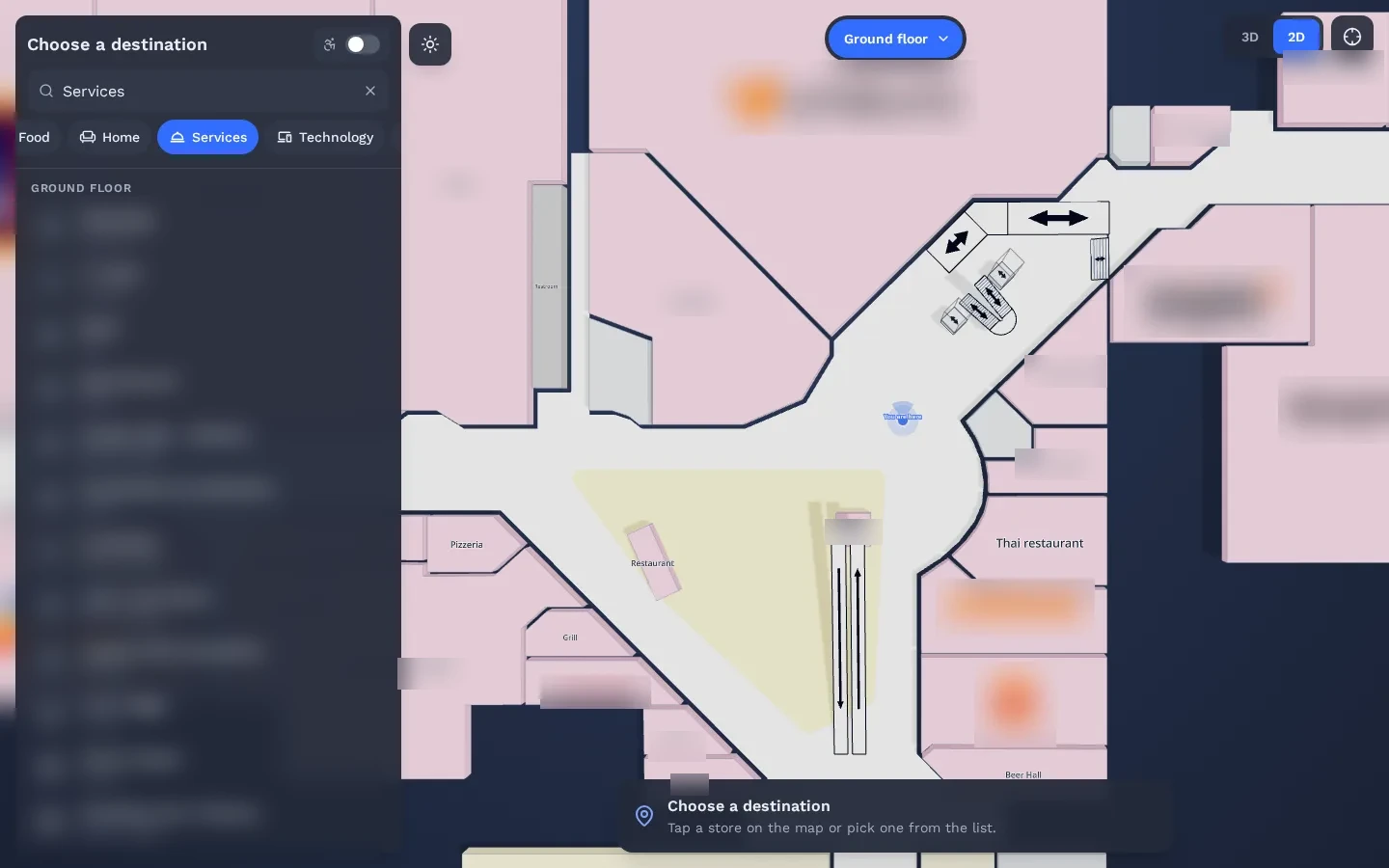
Interactive 3D Web Map
The 3D map on your website, for planning and virtual visits.
- 04
Wayfinding Kiosks
A lobby kiosk that passes the route to the visitor’s phone.
Can it replace a museum audio guide app?
It can cover much of what a museum audio guide app does, without rental devices to clean and charge. AR content sits next to a work and opens in the browser, in the visitor’s language. Museums that keep their audio guide can run the route and the AR layer alongside it.
- AR content. Built with the OVER WebAR Builder and anchored to the rooms.
- Several languages. Publish routes and content in the languages your visitors speak.
- Visitors’ own phones. No devices to rent, clean, charge or collect.
See it working in a real mall
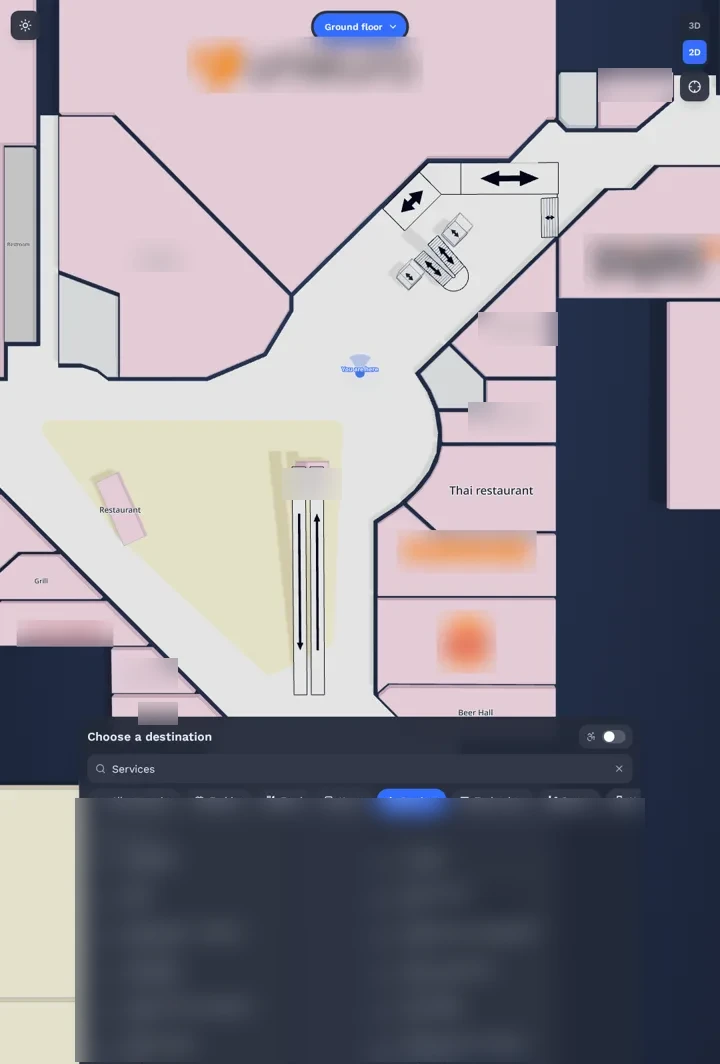
The same technology is live in a 150,000 m² multi-floor shopping mall. Real visitors scan a QR code and follow AR directions in the browser.
Read the Città Fiera case study →Do we need to mount devices on the walls?
No. Positioning uses the phone camera and a 3D map of the rooms, so there are no beacons, sensors or markers to fix to walls or ceilings. That matters in listed buildings and in rooms with fragile works. A lobby kiosk is the one optional piece of hardware.
Questions buyers ask
Can people explore the museum from home?
Yes. The 3D map built during mapping can power a virtual visit on your website.
Can we change routes for temporary exhibitions?
Yes. Destinations and routes are updated in one place and appear on phones, the web map and kiosks.
Is OVER already live in a museum?
Not in one we can name yet. The same technology is live at Città Fiera, a 150,000 m² multi-floor shopping mall in Udine, Italy, where real visitors navigate with their phones.
What do you need from us for a quote?
The museum name, the approximate area in m² and the number of floors or buildings. Rough numbers are fine. We reply with a preliminary quote within a few days.
Request a quote
A few clicks to tell us about your venue or project, then your contact details. Rough answers are fine.