
Hospital wayfinding without an app or beacons
OVER Editorial · Updated October 24, 2026 · Blog
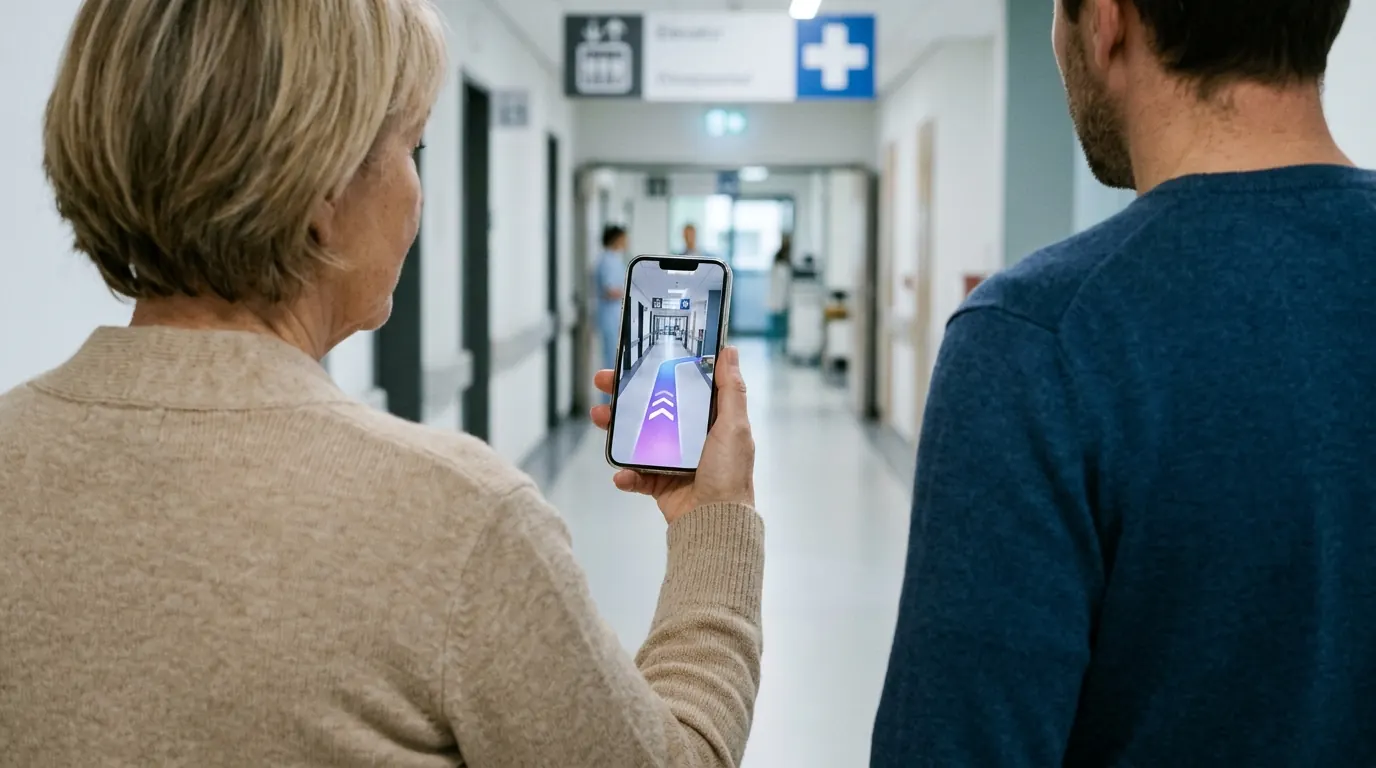
Hospital wayfinding without an app means patients open directions from a link or a QR code, in the phone browser they already use. This guide is for facility and innovation managers who want fewer lost patients without installing beacons or asking anyone to download anything.
It covers how browser-based routing works, what beacons add and what they demand in maintenance, how to make routes accessible, and how to roll the system out. At the end you will find a short checklist for your RFP.
Why patients and visitors get lost
Hospitals grow in layers. A new pavilion is added, a wing is rebuilt, and a corridor links two buildings on one floor only.
Signage struggles to keep up. Departments move, clinics change floor, and temporary paper signs pile up on doors and walls.
The people who need directions most are often the least comfortable with technology. An older visitor with a morning appointment will not download an app in the parking garage. GPS does not help either, because it stops working reliably once you walk indoors.
The result is familiar to every front desk:
- patients arrive late, or at the wrong building;
- staff and volunteers walk people to clinics instead of doing their job;
- anxious visitors ask for directions several times on the same route.
How does patient wayfinding work without an app?
Patient wayfinding without an app runs in the phone browser. The patient taps a link in the appointment reminder or scans a QR code at the entrance, and the route opens as a web page. The phone camera recognizes where the patient stands and shows step-by-step directions to the clinic, with no installation.
A good setup gives patients three ways in:
- Before the visit. The SMS or email reminder includes a link to the destination clinic.
- At the door. QR codes at entrances, parking elevators and main junctions open the same route.
- At reception. A touch kiosk shows the map, and a QR code on screen hands the route to the phone.
How does the phone know where it is? A visual positioning system (VPS) matches what the camera sees with a 3D map of the building. It runs in iOS Safari and Android Chrome, so patients use the browser they already have.
Family members can open the same link at home and check the route the night before. If the hospital website embeds the same map, people can plan the visit before they leave the house.
Do you need beacons for hospital indoor navigation?
No. Bluetooth beacons are one way to locate a phone indoors, and camera-based positioning is another. With the camera approach, the phone compares its view with a 3D map of the building, so there is no radio hardware to install, power or maintain across wards, corridors and parking garages.
Beacon networks work, and many venues use them. In a hospital, they also bring practical duties:
- many small devices to mount, often above ceilings or in clinical areas;
- batteries to replace and devices to check over time;
- coordination with IT and infection control for every installation visit;
- coverage gaps when departments move or walls change.
Camera-based positioning moves the effort to a 3D mapping of the buildings. When a department moves, you update the destination on the map instead of re-planning hardware.
No device is added to the hospital network, which keeps the IT security review short. For a side-by-side view of both approaches, read our guide to indoor positioning without beacons.
How do you make hospital routes accessible?
Accessible hospital routes start with the map. Each elevator, ramp, step-free entrance and accessible restroom is marked once, and the routing avoids stairs and escalators when the patient asks for a step-free path. The same accessible route then appears on the phone, on the website map and on the reception kiosk.
Accessible wayfinding is more than a wheelchair icon on a map. Ask for:
- step-free routes through elevators and ramps, chosen by the user;
- readable text and high-contrast map views;
- plain instructions such as "Take elevator B to floor 2" instead of internal codes;
- routes that respect opening hours, for example a side entrance closed at night;
- a fallback for people who cannot use a phone, such as the kiosk or a staff member.
Test the routes with real people before launch. Include a wheelchair user, an older visitor and someone who does not speak the local language.
How to roll it out in six steps
- Map the buildings. Capture every floor, connector and parking level that patients use. Some camera-based systems do this with a 360° camera walkthrough, without CAD floor plans.
- Define destinations. List clinics, wards, labs, imaging, pharmacy, cafeteria, restrooms and exits. Use the names printed on appointment letters, not internal codes.
- Put the link in appointment reminders. Each reminder links straight to the right clinic. For most patients, this is the first contact with the system.
- Add QR codes at entrances and a kiosk at reception. Place QR codes where people stop and look around: doors, parking elevators, junctions. The kiosk hands the route to the phone.
- Brief the front desk. Show staff how to send a route by SMS or print a QR code on the appointment slip.
- Measure and adjust. Track route opens, completed routes and the most searched destinations. Ask the front desk whether direction requests go down.
Start with one building or one patient flow, such as outpatient clinics. Fix names and routes there, then extend to the rest of the campus.
RFP checklist for hospital wayfinding
Copy these questions into your request for proposal:
- Does it work without an app, in iOS Safari and Android Chrome?
- Does it need beacons or any device on our network?
- Who maps the buildings, and do you need our floor plans?
- Can the same map run on phones, on our website and on our kiosks?
- How do we update a destination when a department moves?
- Can users choose step-free routes?
- Which languages can patients use?
- What data is collected from patients' phones, and where is it processed?
- Which usage analytics do we receive?
- Is there a live deployment we can visit or test?
- What does the quote include: mapping, channels, updates and support?
How OVER does it
OVER builds hospital wayfinding with OVER Wayfinding Suite, where one 3D map of your buildings powers four parts. 3D Venue Mapping captures the site with one 360° camera. Mobile AR Navigation guides patients in the phone browser.
Interactive 3D Web Map puts the same map on your website, and Wayfinding Kiosks show it on touch screens at reception. Relocalization takes under 100 ms with centimeter-level accuracy, with no beacons or markers to install.
OVER does not have a public hospital deployment to cite yet. The same technology has been live since June 2026 at Città Fiera in Udine, Italy, a 150,000 m² multi-floor mall mapped in 90 minutes by one operator. Read the Città Fiera case study or see how it applies to hospital wayfinding.